

Display the media on our Windows embedded PC and Notebook wirelessly on any compatible platform, stream live camera feeds, Web video files, access cloud media storage content, listen to Internet radio, etc. The utility works with DLNA, Miracast, and AirPlay standards.
One of the main problems a modern man or a woman has is the need to constantly shift between devices on which he or she wants to enjoy his/her videos. There is a difference between watching a Youtube video and a movie on a flat screen TV. But modern technology comes up with ways of working around hardware limitations. Here, programs like ezCast come into play.
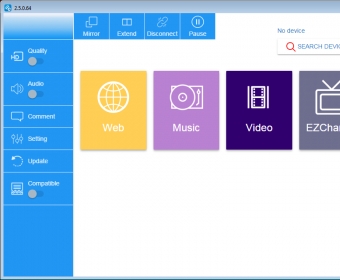
What ezCast does is lets its users stream Internet videos not only to a computer screen, but to a real big television screen TV using DLNA-capable devices. You just need to launch ezCast and select streaming options. The interface is pretty simple, and any user familiar with streaming will only need a few clicks to set up the application. ezCast supports creating streaming channels for video, but can also work with just audio and music. It even has the option of streaming to music devices, much like radio.
One of the main advantages ezCast has is its wide range of supported devices. It works with almost any operating system and Mac OS X. But the most interesting feature of ezCast is its compatibility with iOS devices thanks to Airplay support, basically, letting you steam from an Android smartphone to your TV. more






Comments (1)
Ezcast compatible with all OS.